
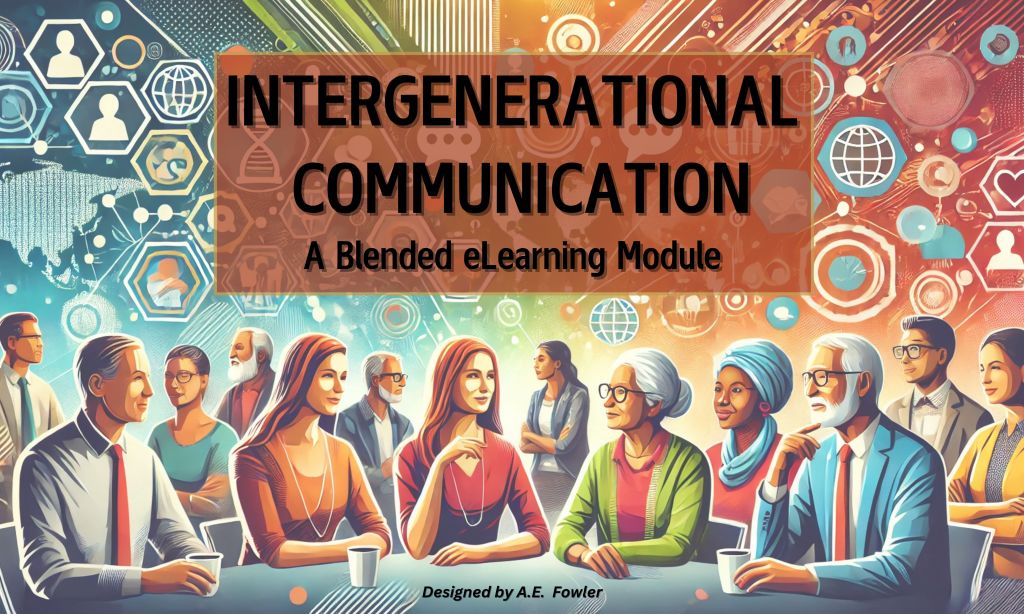
The following eLearning blended course was conceived as part of a certification program with the Digital Learning Institute. The blueprint of this course is organized into three sections. Part One covers the Analysis and Learning Experience (LX) Design; Part Two lays out the Micro Design and Development; finally, Part Three includes plans for Implementation and Evaluation. The topic was inspired by a stakeholder request I received at a previous employer, and this version is specifically targeted to address the business needs of a small marketing firm in Houston Texas. However, the content, plan, and learning flow of this course can easily be adapted for other industries, and modifications can be made to personalize and brand content to cater to specific client. Furthermore, this course can be presented as a fully synchronous eLearning experience or a blended course involving live virtual classroom workshops or in-person discussions/collaborations.
Part One : Analysis and LX Design
This section will focus on the business needs analysis and the learning experience design broken down by “who” will be learning, “why” they will be learning, “what” they will be learning, and “how” they will be learning “it”. To elaborate on the aforementioned audience, the client for this project is a small marketing firm, THINK BRIGHT, based in the greater Houston, Texas area. The company has eight employees spanning a few generations, and they operate in a hybrid work model.
The WHO of Learning
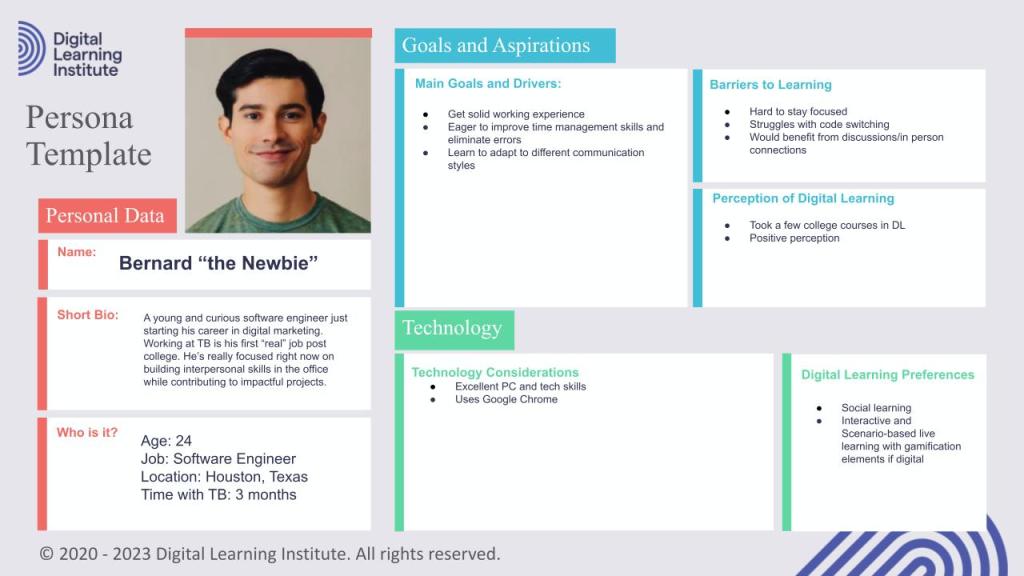


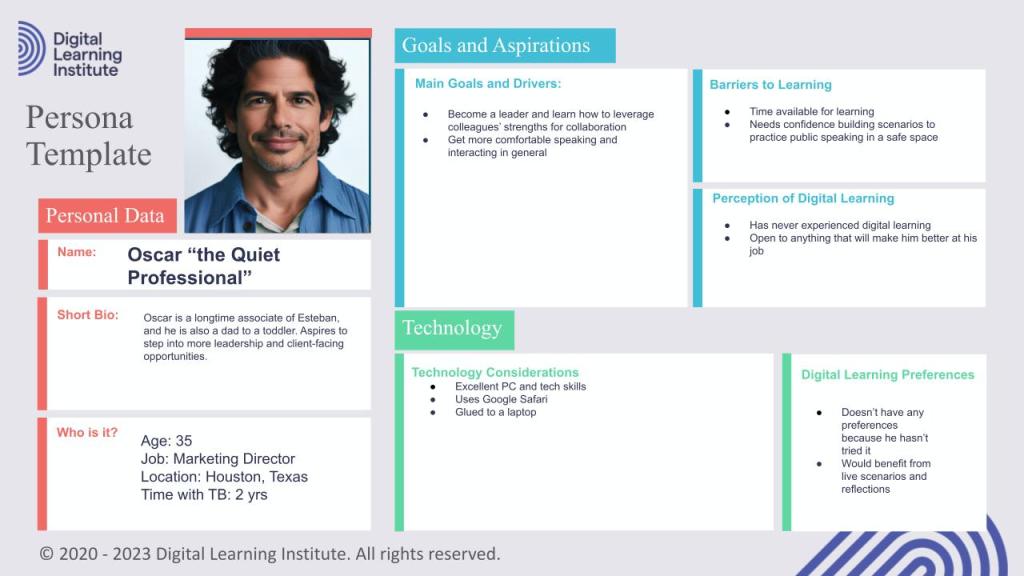

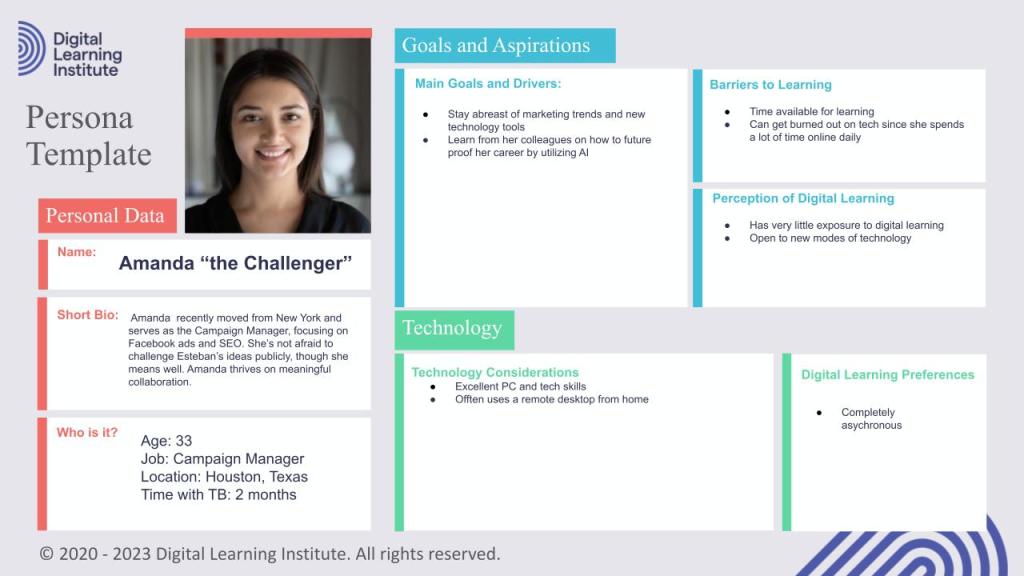
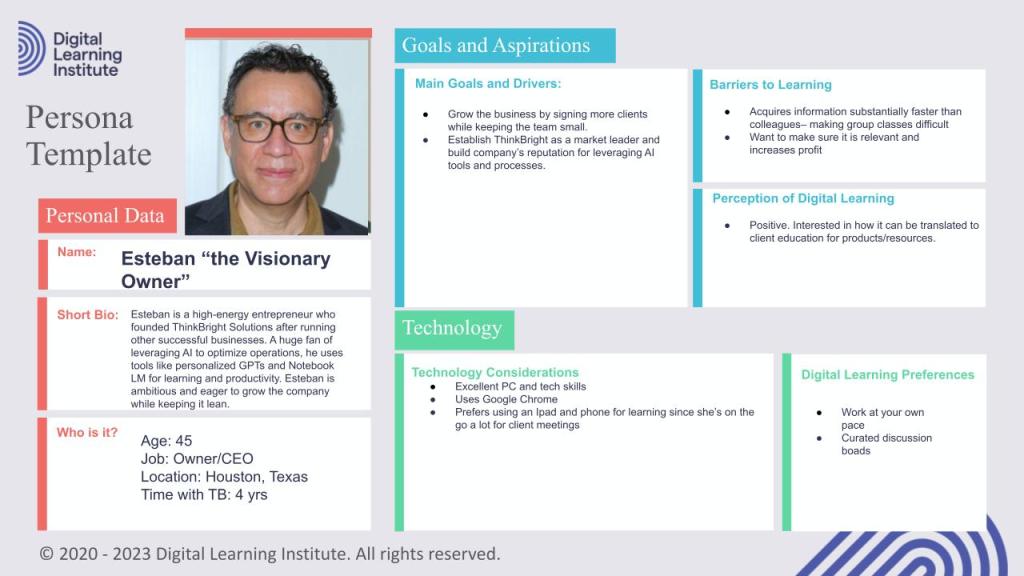


As featured in the slideshow to the left, I prepared a learner persona for each member of the Think Bright Marketing Solutions team based on casual interviews and data collection. I used Chat GPT to help generate responses, and then I tweaked them from there. I also created an “overlap” matrix of sorts to determine which details I should carry forward for a collective persona, which is the final slide before this commentary slide.
Completing this exercise has helped me determine the best mode of delivery for an Intergenerational Communication module and how to design the module with the learners’ goals, challenges, and preferences in mind. Here are some of the discoveries and guidelines that I will be putting forth as I continue to design this learning opportunity:
AUDIENCE CHARACTERISTICS: The content needs to fit diverse roles and consider varying technical proficiencies.
LEARNING PREFERENCES: Based on the personas, the content should be organized into short modules to accommodate busy schedules. Multimedia elements will engage these learners, and they will benefit from practical examples and case studies from the marketing industry.
ACCESSIBILITY / USABILITY: I want the modules to be mobile/tablet friendly and include clear, simple navigation. I’ll also be including subtitles, downloadable resources, and options to have the audio read.
INTERACTIVITY: I’ll sprinkle interactive exercises in the self-paced module sections in addition to the planned social learning exercises embedded in the training like discussions, roleplaying activities, and the team charter workshop.
SCALABILITY AND CUSTOMIZATION: I will be swapping out the articles and case studies as trends change. I’ll also include options for further study and customized further learning paths/modes of learning based on roles, interests, and learning preferences.
MEASUREMENT AND FEEDBACK: Learners will get instant feedback from the embedded knowledge checks and e-learning module assessments as well as reflective discourse opportunities during the discussion portions. Using surveys will help me constantly iterate on this course.
The WHY of Learning
Business Problem(s):
Management reports deadlines missed on average 15% of the time due to miscommunication and unclear expectations across generations.
Client retention is a concern as inconsistent messaging disrupts understanding and communication.
Senior Leaders on average spend an average of 3+ hours a week re-explaining processes to younger employees due to communication breakdowns and time management expectations.
Up to 20% of employees feel uncomfortable in the office due to differing levels of intergenerational communication preferences, language use, and professionalism standards.

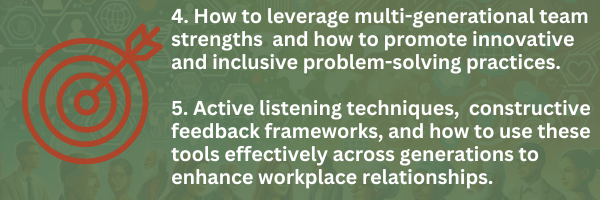
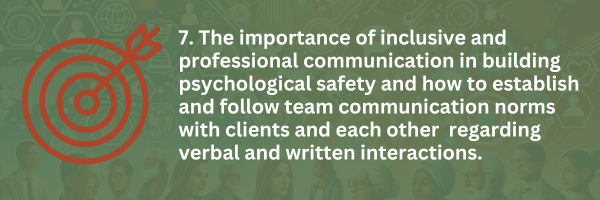
Learning Outcomes:
By the end of this course, participants will know:




Potential KPIs to Assess:
MISSED DEADLINES
Problem: Teams with diverse generational members miss 10-15% more deadlines than single-generational teams due to differing expectations about response times, quality, processes, and communication methods.
Measurement: Increase on-time project and task delivery. Track quarterly.
DECREASED TEAM PRODUCTIVITY
Problem: Inefficient processes slow down workflow and create a hostile work environment due to different communication norms/values. Lack of effective communication among generations is hindering knowledge sharing and retention.
Measurement: Track meeting durations, agenda items, and follow-ups. Track employee sentiment every six months.
CLIENT/FUTURE EMPLOYEE RETENTION:
Problem: Clients cite that receiving inconsistent directions, reports, and communications form multiple reps as the reasons for leaving the company.
Measurement: Reduce client loss numbers after training completion.
INCONSISTENT PROFESSIONAL STANDARDS
Problem: Team lacks alignment on what constitutes professional or appropriate behavior, leading to confusion and lack of psychological safety.
Measurement: Take pulse survey before and after training; improve NPS.
ThinkBright Solutions faces significant challenges in fostering effective intergenerational communication, leading to missed deadlines (15% on average), inconsistent client messaging, and a high demand on senior leaders’ time for re-explaining processes. Additionally, up to 20% of employees report discomfort in the workplace due to differing communication preferences, language use, and professionalism standards across generations. These issues disrupt operational efficiency, hinder client retention, and impact overall workplace harmony.
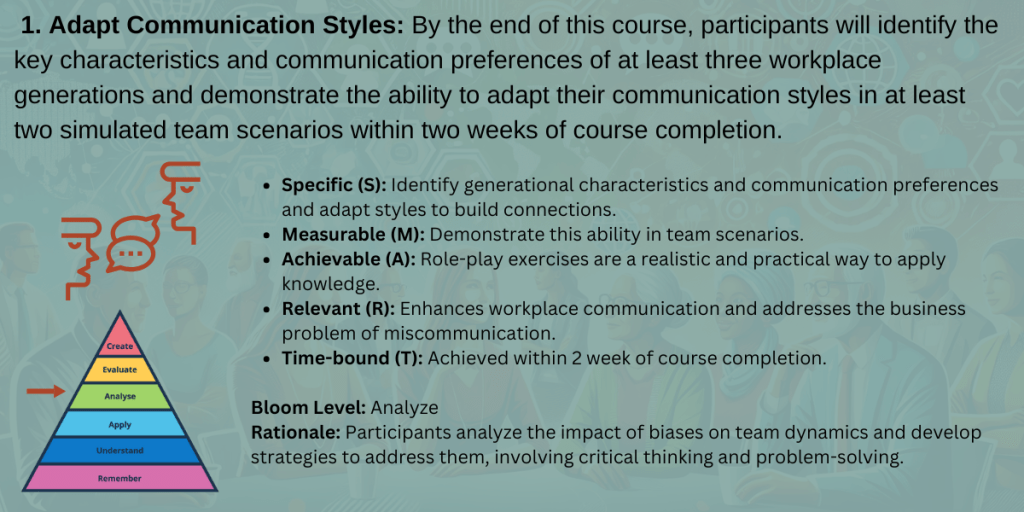
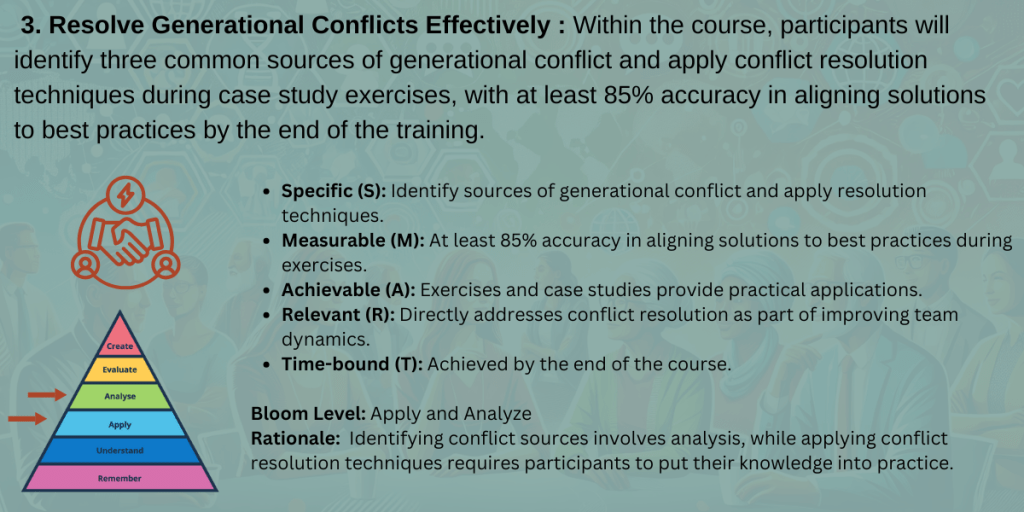
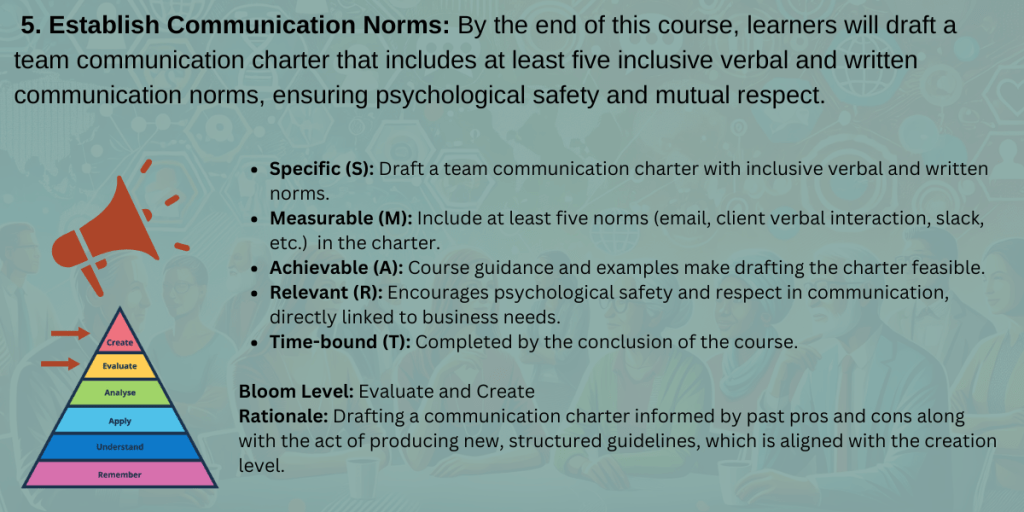
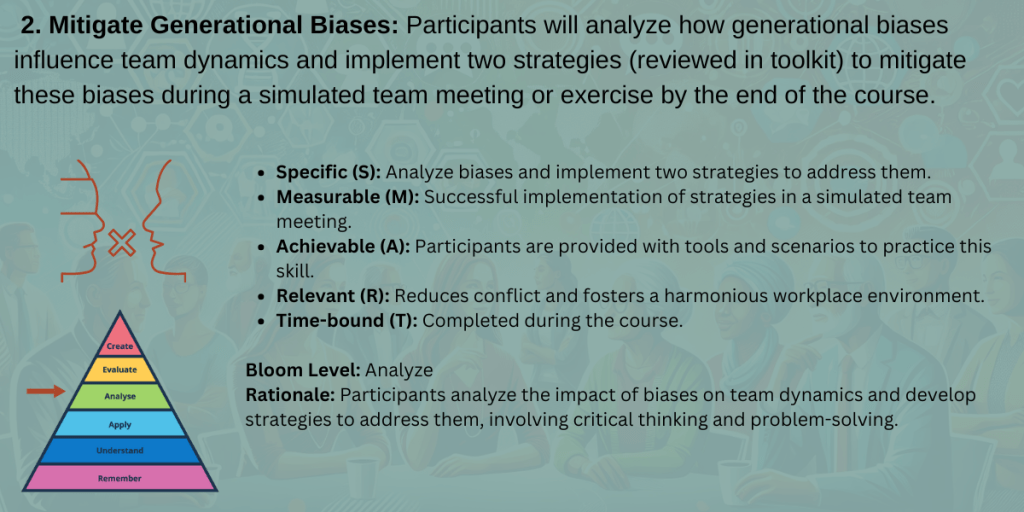
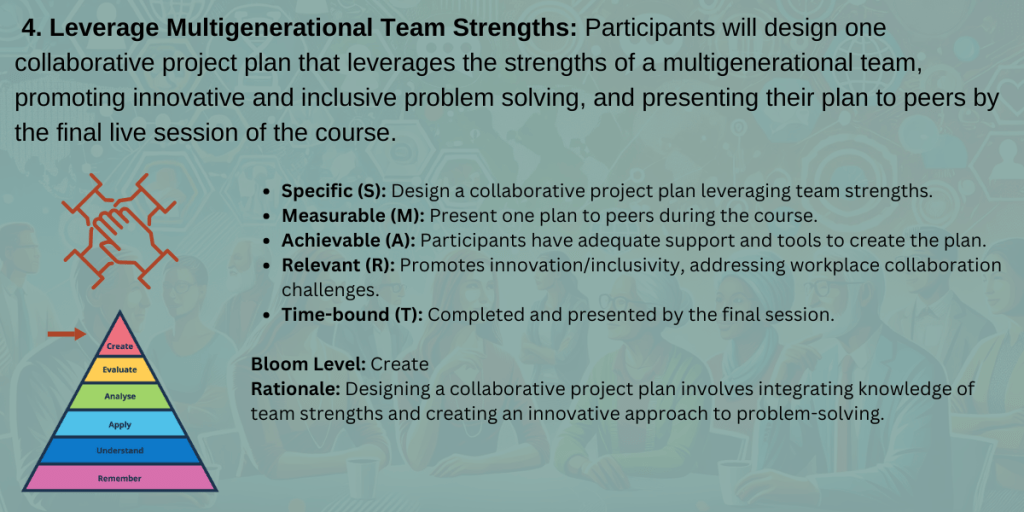
SMART GOALS

COMMENTARY/REFLECTION
With the help of AI, I was able to quickly and efficiently compile my long list of learning outcomes into six clear goals. It felt really good to align the business needs to learning gaps and develop the learning outcomes from there. Coming from a traditional teaching background, I always felt confident connecting my lessons to state and national standards along with designing the lesson plans, curriculum blocks, assessments, and interventions. My last corporate role was pretty relaxed, so we weren’t required to map our learning objectives to business outcomes. At the end of the day, the corporate world cares most about earning or saving money, so this was a great exercise for me to set me up for success in my next role.
Turning the learning outcomes into SMART goals was pretty easy because I am quite experienced in that area. I’m excited to get to the design phase where I can create the activities that help my learners demonstrate/provide evidence of each step from Bloom’s Taxonomy.
While I was not able to incorporate a goal of bridging any technology gaps among team members, I believe I will achieve that “invisible” goal through clear and specific navigation directions, downloadable guides, and additional resources. I studied accessibility quite a bit in my previous employment role, so I plan on implementing the “solve for one, extend to many” inclusive design principle when creating this course.
The WHAT of Learning


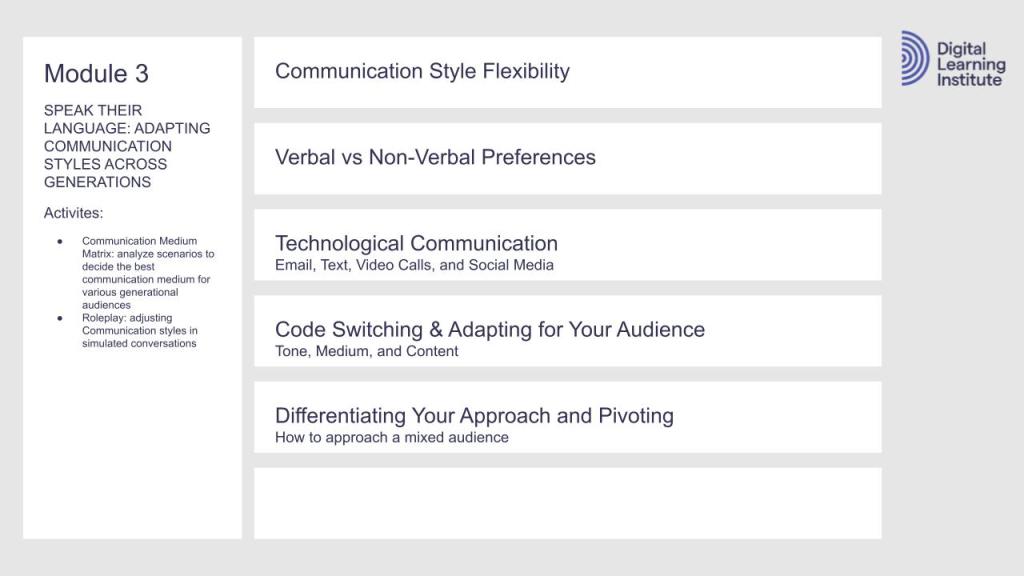
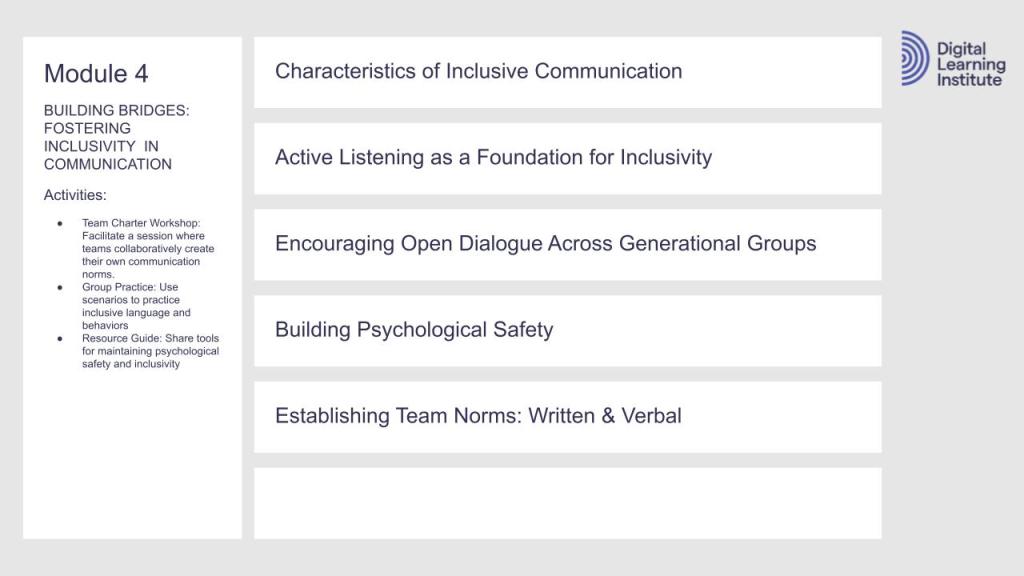
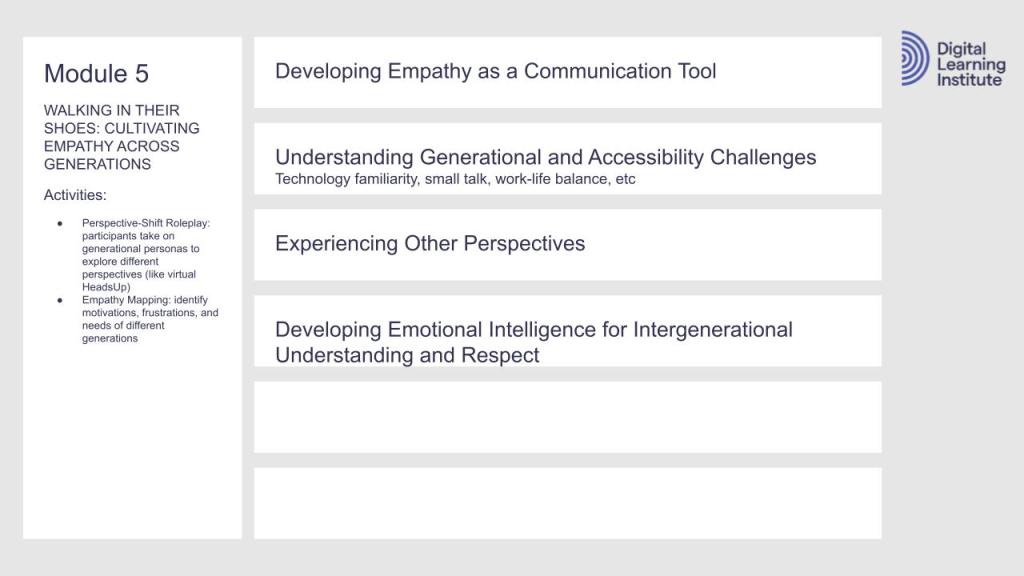


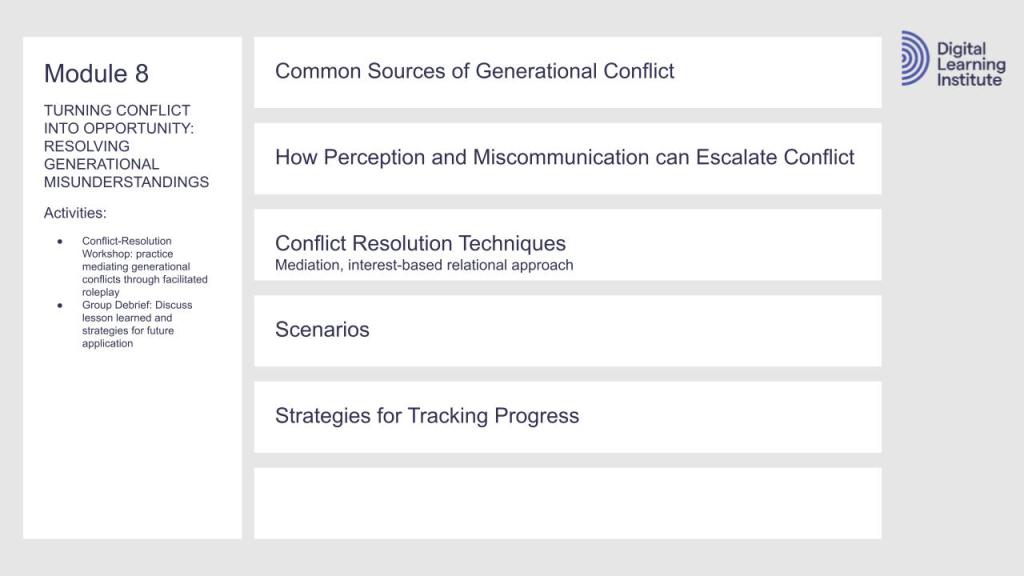
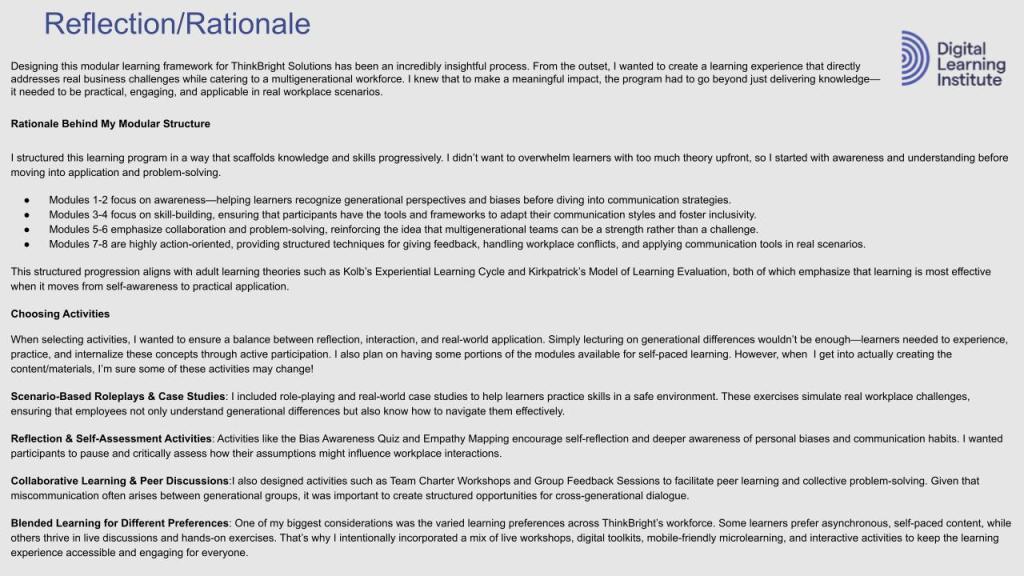
MODULAR FRAMEWORK
The first slide in this deck shows the themes for 8 modules design to support the the course. Later slides show each module broken down into topics along with content, assessment, and activity brainstorming.
The final slide includes the rationale behind the structure and activities potentially proposed.
Something to note: As I got further into the ADDIE process, I condensed some of these modules and lessons, and expanded and updated other areas. It will be fun to see how this course transforms as I iterate!
The HOW of Learning
Choosing the mode for the project was easy. I selected the blended learning approach. I wanted to accommodate all learners’ preferences, and many opted for short self-paced modules and social learning experiences. Given that this course is about intergenerational communication across all mediums, it makes the most sense to incorporate digital and live opportunities to examine and practice written and verbal communication through multiple modes.
Next came breaking the unit or course down in to modules. I had completed that in the previous framework section, but different challenges presented themselves as I started to explore the learning flow of each lesson with each module. As I was working through this section, I found it difficult to roughly plot out a high-level learning flow. I’m very detail oriented, and I wanted to make sure my modules and lessons built upon one other– reiterating pertinent information and then giving learners a chance to dig even deeper and apply those principles immediately. To do this, I had to map out not only the activity types but plan out the exact activities I wanted to do. While the exact lesson content, flow, and activities will most likely change as I iterate even more, it’s really exciting– even at this stage– to see how much tighter my unit is becoming.

This version of the Intergenerational Communication Model was created as rough broad strokes to address learning gaps and ensure all learning outcomes were met.
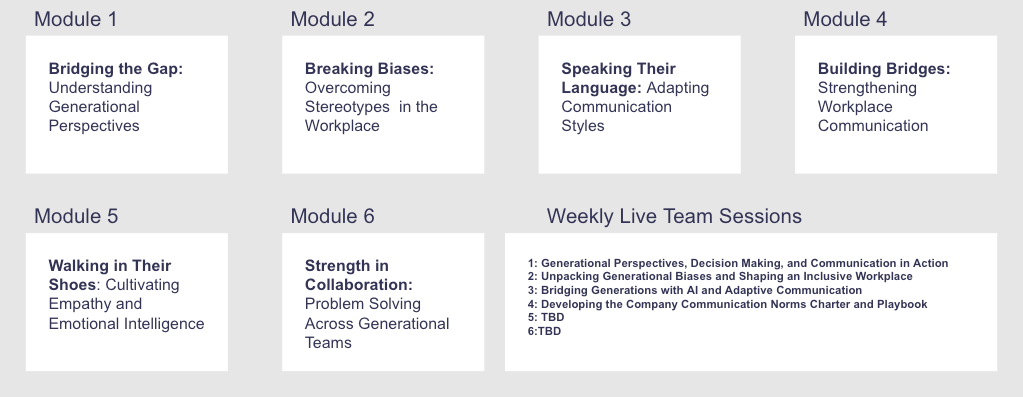
After planing out the unit’s learning flow, I realized I could condense the 8 modules into 6 along with planning a live social learning experience after each module. Additionally, I wanted to keep the content really relevant by adding in addressing the need for AI communication norms.
Although it might not have been necessary at this step in the ADDIE process, I needed to really dig into what the eLearning modules would look like- the content, the activities, the assessment(s), and their order. In the embedded slide deck below, you’ll see a general outline for each lesson in each module along with the learning flow as illustrated through shapes determined by the Digital Learning Institute. If you take a closer look, there might be some discrepancies among lesson titles as compared with the modular framework listed above–but hey! This is a work in progress. I’ve finished the pre-planning for four modules and have two to go.
Although this part was the most time consuming by far, I am very happy where I’m at. Selecting which software tools I want to use (Tiki-Toki, Miro, Padlet, etc) and exploring how to use plug-ins for Articulate have really helped me visualize what this course will look like. I feel like I’ve done enough planning that I’m prepared to dive into Part Two. This once extremely blurry seed of an idea is slowly coming into focus. I’m happy with what I’ve been able to accomplish so far, and I am looking forward to feedback as I refine not only the actual course, but the look and feel of sharing this plan through WordPress.
Part Two: Micro Design and Development
In this section, I will dive into presenting the micro design and development of a single learning resource component, inside of an individual lesson, inside of a single Module (Module 1 to be exact), inside of the the entire 6-module course on Intergenerational Communication. This will include scoping documents and a prototype for that selected sample learning resource.
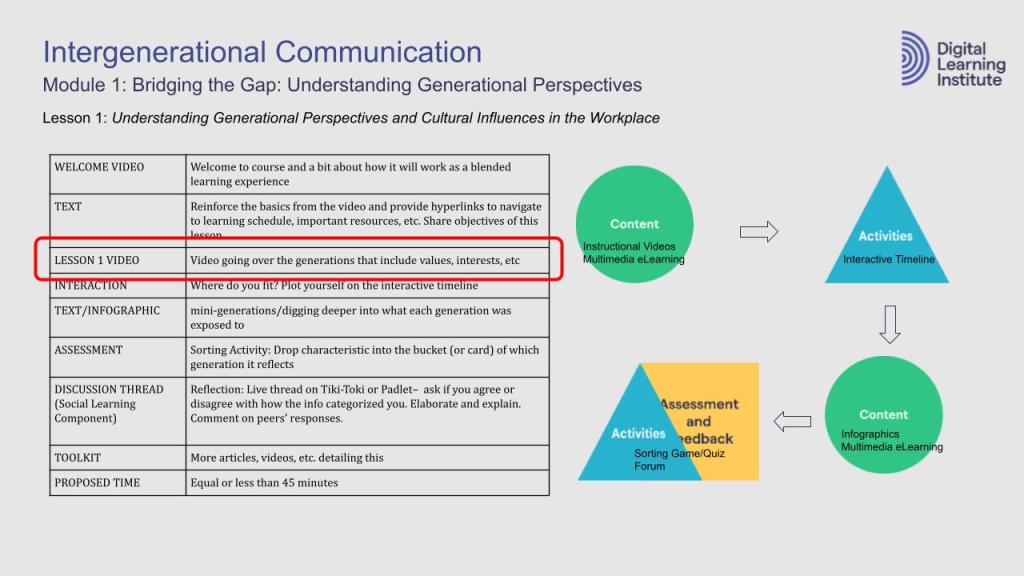
Each module in my course plan on Intergenerational Communication calls for videos, infographics, multimedia eLearning packages, virtual or in-person classrooms, and social learning forums.
I have chosen to share the design documentation and a prototype for the Lesson 1 Video from Module 1 (pictured to the left).
I chose to create an instructional video as my multimedia eLearning sample because I am currently developing my video editing skills and wish to play around with the delicate balance of creating a video that is both engaging and informative. This experience was truly challenging!
Design Documents
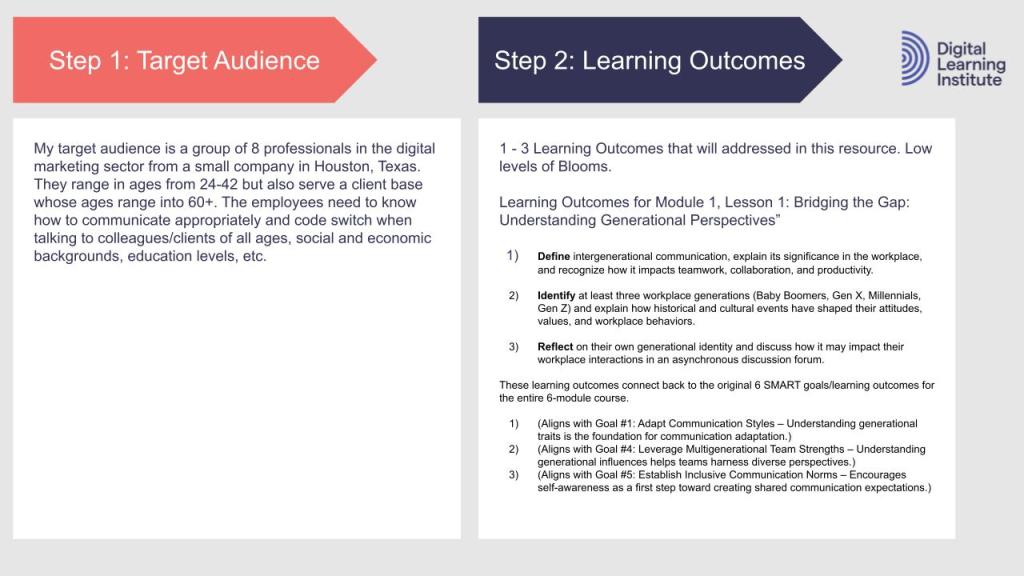
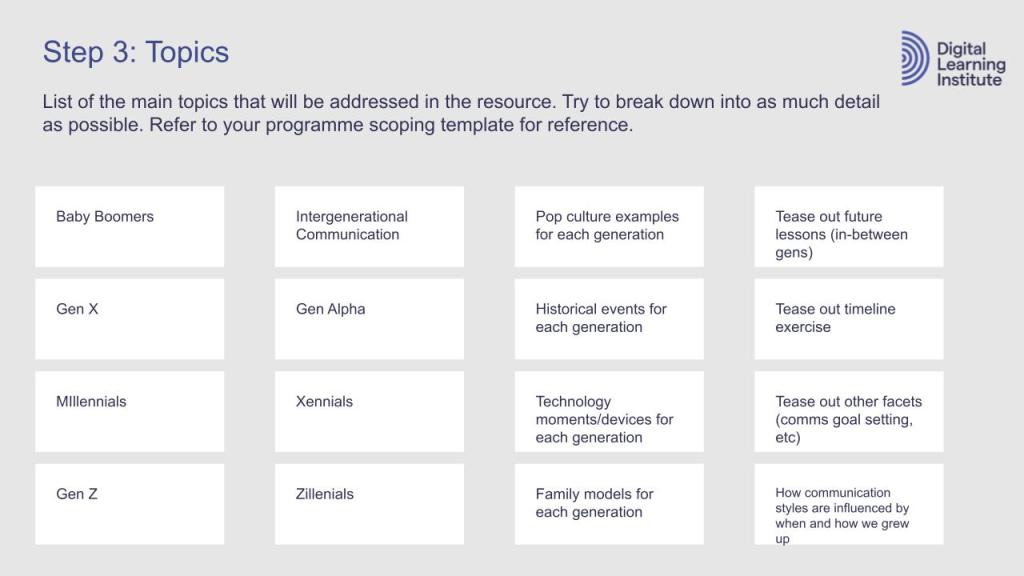
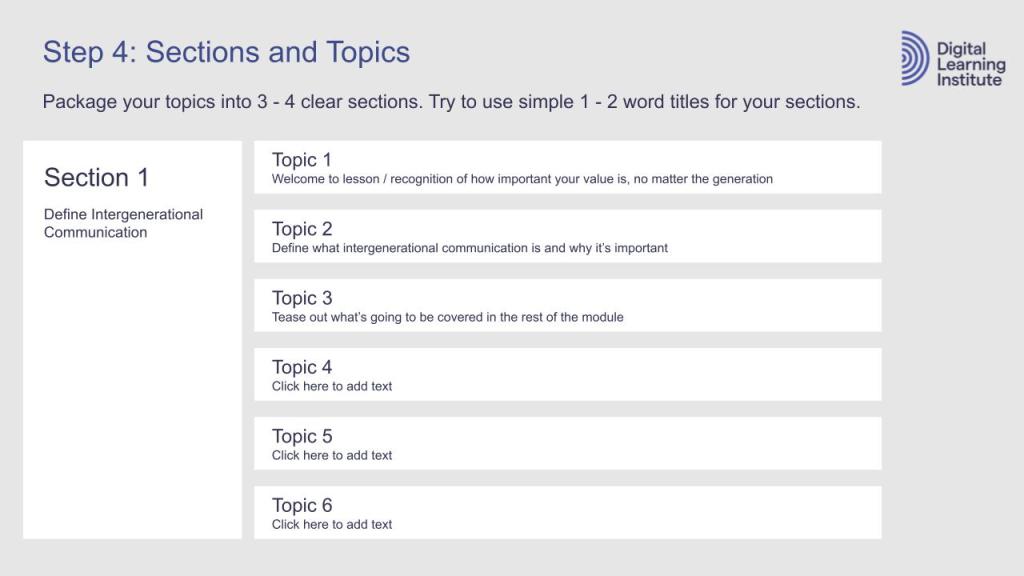
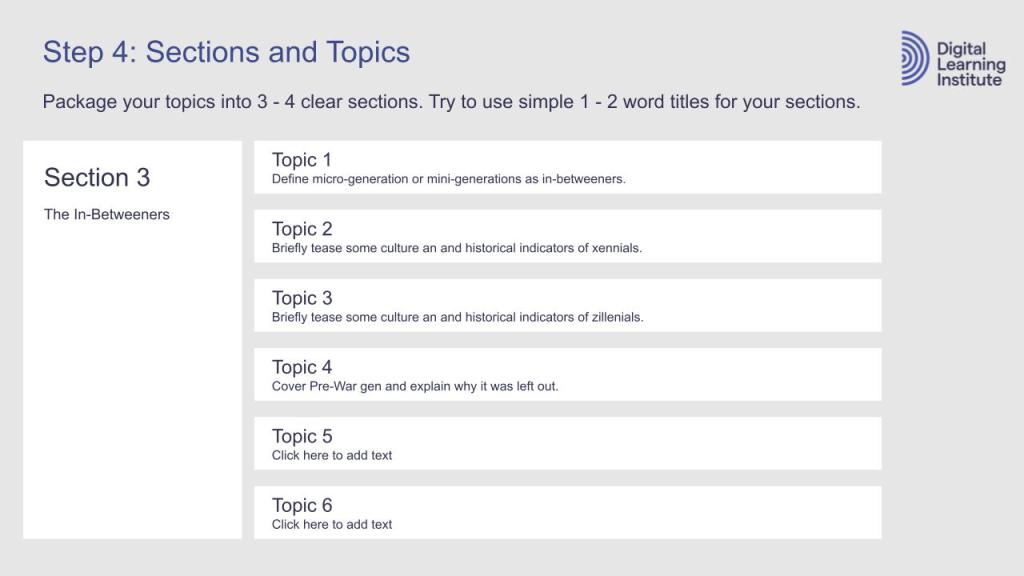
For the scoping document, I reviewed my Learner Personas, Business Needs, and Learning Gaps to arrive at a short description for my target audience. When I created the modular framework, I locked in learning outcomes for each module. I used the original SMART goals to guide the three goals for lesson one, module one. Since I already determined the content that was going to be covered in each lesson of each module along with the order and flow of activities, assessments, and so on, completing the scoping document was pretty easy.
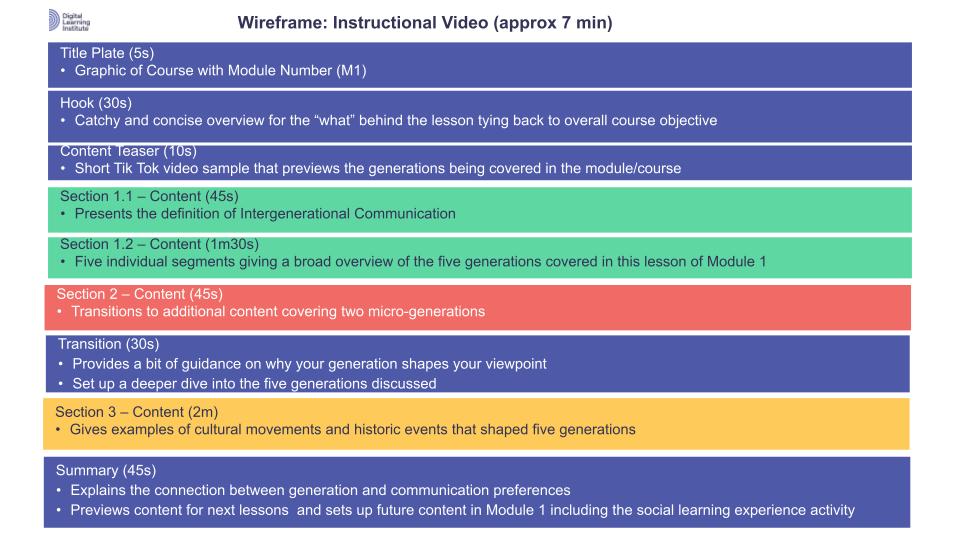
For the wireframe, I modified the templates included in the DLI module to accommodate an instructional video. Using the scoping deck, I was able to plug and chug the different sections and purposes. This was honestly the most challenging part (even though the colored bars looks som simple) because I’m used to creating wireframes for UI/UX app designs in Figma. However, I started to wrap my head around concept when picturing a multimedia resource like an app.



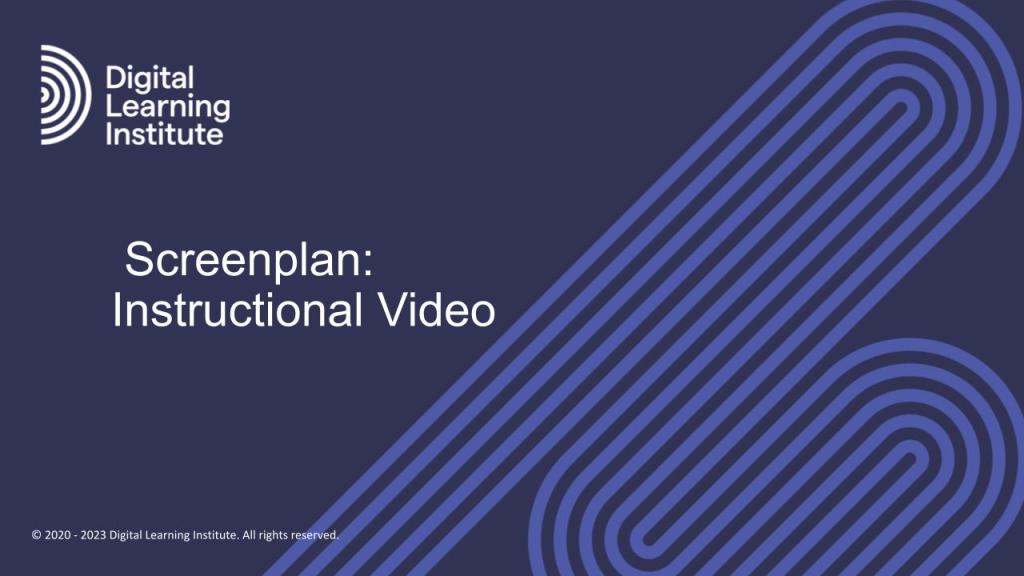

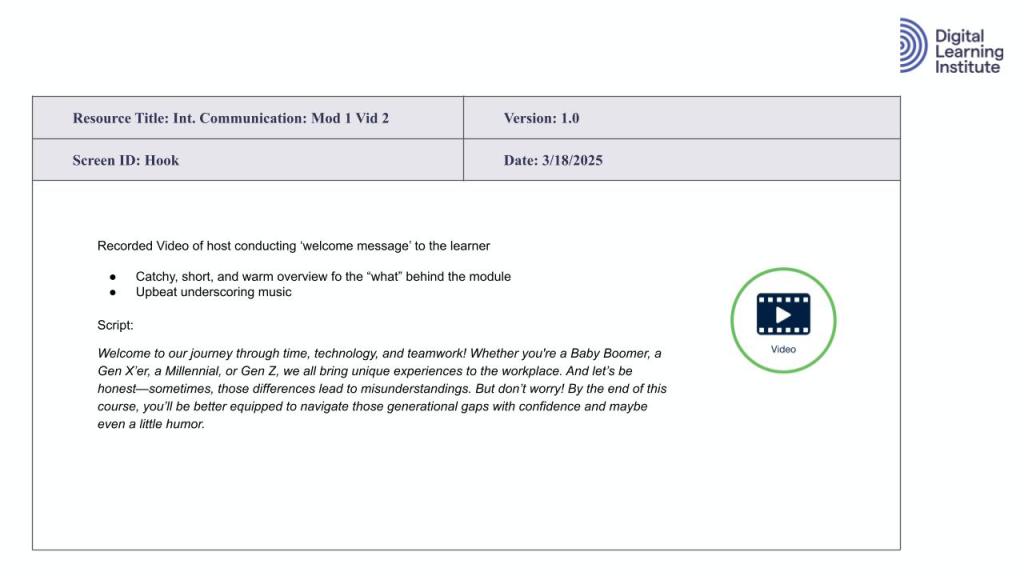


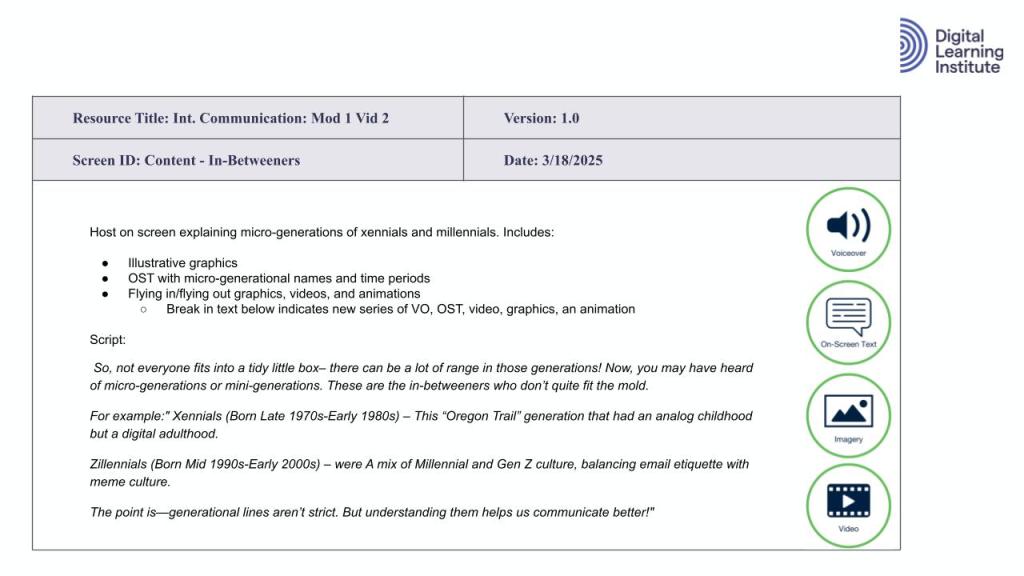
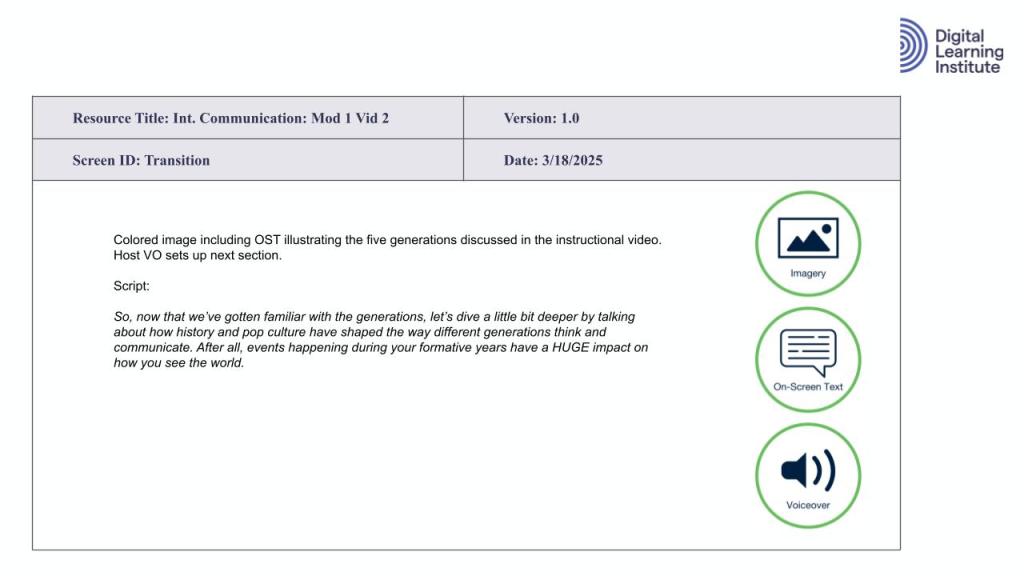


Screenplan
I worked in various roles in the film and television industry behind the scenes and was very used to noting my frames in traditional storyboard format but really giving the cinematographer the freedom to “feel” the sequence of the script.
However, what I did notice was that the storyboard grid in the DLI resources was very similar to the planing templates for commercials and short-form new media content– which is exactly what I learned to shift my POV to regard making an instructional video!
Completing a combination screenplan/storyboard for an eLearning resource also challenged me to examine a well-known concept/template across different industries through a new lens.
Prototype
Video 1 in Module 1 covers (or would cover) what to expect out of the learning course and how to navigate throughout the eLearning platform. I wanted to take care of the housekeeping so to speak in an earlier video so that I could launch straight into the meat of of the course in first official instructional video. The course is also designed in a cyclical way for the first few modules where learners will examine different characteristics of multiple generations from multiple viewpoints and purposes as well as have the option to do some in=depth reading in the articles/additional resources section of the lesson, so I didn’t want to go too in-depth in the first video. The holistic aim of the video is to catch the learners’ attention in a fun and engaging way using several multimedia tools to give them a feel for how content will be presented throughout the course. (Mission achieved, I think. 🙂
Technically speaking, creating the prototype took quite a bit of time. While the pre-planning documentation were extremely helpful in plotting out what would be on the screen, I didn’t anticipate how long it would take me to edit this short video. However, I still wanted to challenge myself to create something that would be indicative of the tone and vision I have for this course. I had a lot of fun collecting images, videos, clips, experimenting with green screens, searching for royalty free music, and teetering between computer and professional audio mics. More than anything, this experience showed me what could be possible with a an entire instructional design team including pro video and sound editors. Lastly, when loading into the preferred LMS, the video would include the option for closed captions and language translations.
Part 3: Implementation & Evaluation
This final section falls under the “I” and “E” for the ADDIE process and includes my rationale and thought process behind choosing an eLearning software and management system, the staff/resources needed to push the course out to learners, my “go live” plan, and insights into learner engagement tactics and metrics I would want to collect, measure, and iterate on to constantly improve the course.
Learning Software and Platform
Preferred Course Authoring tool

To begin the process of exploring course authoring softwares, I first investigated all the tools included in the DLI modules by visiting the course homepages. Oftentimes, the landing pages were just advertisements and/or required requesting a demo for your particular company. So, for those examples, I jumped over to You Tube and searched out examples of the softwares in action. I also read many articles recommending particular softwares for specific purposes. I ended up playing around with Articulate, Seven Taps, PowToon and Synthesia. Futhermore, I talked to a few colleagues in the eLearning space and asked for their opinions.
Lastly, I reflected on the eLearning courses, softwares and platforms I had used in the past for my own personal learning: Coursera, Canvas, Saba, Cornerstone, and Articulate. I taught for years using Canvas and really liked all of the apps I could include to make learning engaging. As an adult, I found learning easily accessible using the Coursera platform for a Google certification. I really liked how they broke it down shorter videos and then reiterated the lesson content with text, infographics, and checks for understanding. To confirm my decision, I asked my good ol’ companion who had been with me through the whole design process, Chat GPT.
The clear winner? Articulate 360 Suite. My past companies used it, and I completed a trial to explore the Storyline. The main reason I chose Articulate Rise was because it was the industry standard, allowed robust features in both desktop and mobile versions, and includes options to add plug-ins to personalize the activities. I like the fact that I can create a short video in Synthesia and import it into Articulate. I also had a lot of fun checking out the games that creators made in the eLearning Heroes group, and I’ve been playing with creating a game using Scratch programming language that I hope to include in this course at some point. Lastly, there are so many training resources and summits to help users continue to learn and grow.
Here are some of the articles and videos I explored that helped me make this decision:
LEARNING MANAGEMENT SYSTEM
I feel like deciding on a course authoring software was more difficult that deciding on an LMS– especially when I wasn’t able to try them out ahead of time. However, after evaluating several LMS options for my intergenerational communication module at this particular company, I selected 360Learning because it strikes the right balance between collaboration, inclusivity, and ease of use—all critical for a small, dynamic marketing team. This module is designed to spark dialogue between generations, encourage reflection across age and role divides, and foster mutual understanding in the workplace. To achieve these goals, I needed a platform that supports real-time peer interaction, aligns with Universal Design for Learning (UDL), utilizes necessary functionalities, and scales with the closely knit team if they to grow or be acquired by a larger company.
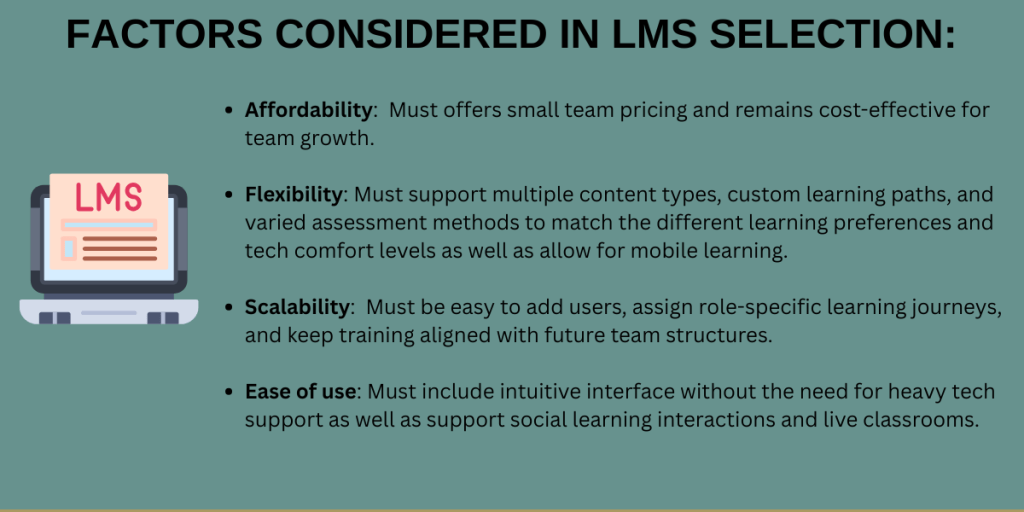
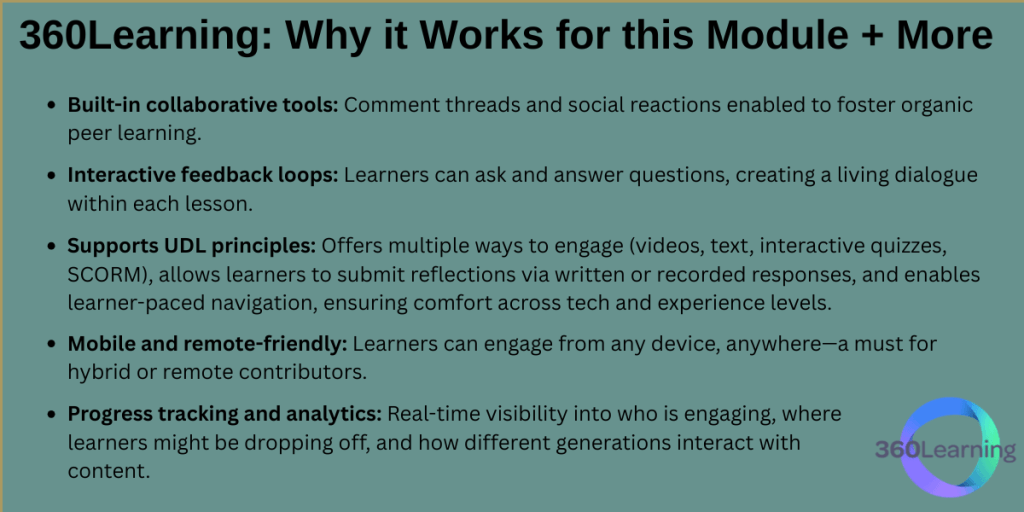
As of April 2025, the base cost for eight users (the current size of the company) would be $768 per year (approximately $8/user/month). To add an additional user would be very inexpensive. That’s cheaper than a whole year of Articulate! Plus, 360 Learning integrates well with HRIS software and has some really fun learning analytics and career/learning paths to play around with once Intergenerational Communication is up and running.
Choosing 360Learning directly supports the original SMART goals and addresses the core business and learning gaps identified during the design phase of this module. The platform’s collaborative features—including in-line comments, peer feedback, and scenario-based discussion prompts—create opportunities for real-time dialogue across generations, helping to reduce miscommunication and build empathy among team members. By supporting multiple content formats and learner-driven pacing, 360Learning ensures that employees of all generations can engage with the material in ways that reflect their communication styles and comfort levels, directly aligning with our goal of increasing adaptation strategies and mutual understanding. Additionally, the ability to track learner engagement and performance allows us to measure progress toward our 90% mastery target on key communication principles, while the flexibility to assign custom learning paths ensures content remains relevant to each learner’s role and generational lens. Ultimately, 360Learning acts not just as a delivery tool, but as a dynamic learning environment that reinforces our culture of open communication, psychological safety, and cross-generational collaboration.
Staff/Resources
Originally, this course was created to address the business needs and learning gaps of a very small company. However, this course could easily scale to a much larger company. Realistically, the smaller company’s budget would support fewer team members whereas a larger company may have the opportunity to hire a larger team to meet the needs of a larger audience. Below is the ideal staff list with role descriptions along with a RACI to rollout this course:


I included a pilot group in my rollout support dream staff to authentically test out the course and give feedback. However, if this course required a LEAN project management approach, I would combine the following:
Learning Experience Designer (LED)
- Combines: Instructional Designer + Media Producer + Partial LMS Admin
- Why: A strong LED can design curriculum, build engaging multimedia content, and handle light LMS tasks (like SCORM exports, uploads, quizzes).
2. Project & Community Manager
- Combines: Project Manager + Community Manager
- Why: This person can manage the timeline, coordinate stakeholders, track deliverables, and also run comms, drive engagement, and gather learner feedback—especially if they’re people-focused and organized.
3. L&D Strategist / HR Lead
- Combines: L&D HR Lead + Pilot Group coordination + oversight
- Why: This person ensures alignment with org goals, manages stakeholder buy-in, oversees pilot testing, and evaluates outcomes. Ideally someone who understands talent development, measurement, and change management.
‘Go Live’ Plan and Learning Engagement Tactics

ABOUT THE PLAN
After determining the eLearning software and Learning Management Platform of choice, coupled with the desired staff to implement the rollout, here’s what I came up with as far as a “go live” plan. While I have more than one role sharing responsibilities for a few of the stages, I believe the details and objectives of those steps require skills sets from both types of contributors. Of course, this is based off of the six-person staff whose roles are detailed in the above graphic.
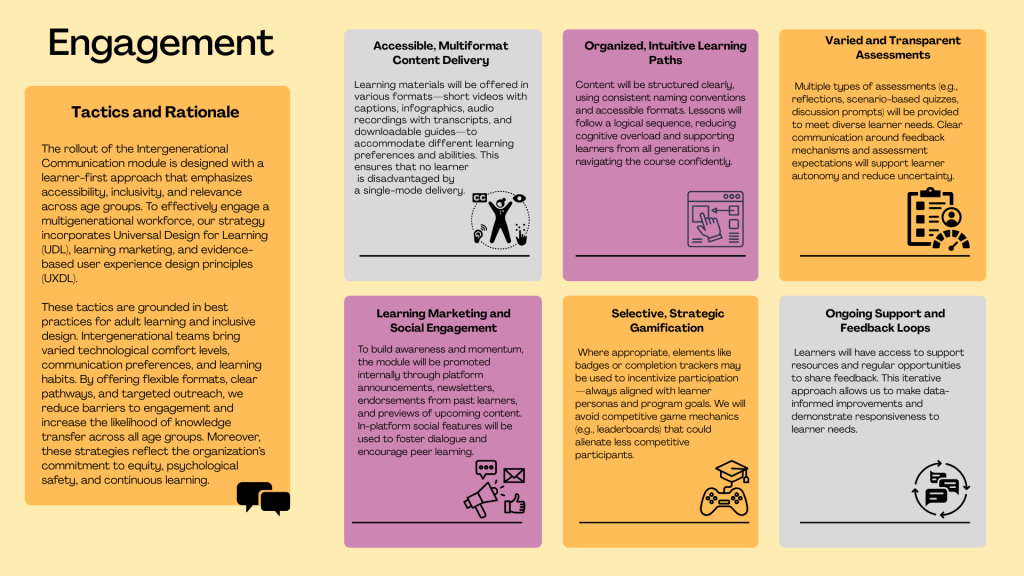
ABOUT THE ENGAGEMENT TACTICS
These engagement tactics are grounded in best practices for adult learning and inclusive design. Intergenerational teams bring varied technological comfort levels, communication preferences, and learning habits. By offering flexible formats, clear pathways, and targeted outreach, we reduce barriers to engagement and increase the likelihood of knowledge transfer across all age groups.
Moreover, these strategies also support commitment to equity, psychological safety, and continuous learning– what I consider to be universal learning values.
FUTURE CONSIDERATIONS
Looking ahead, I plan to continue iterating based on learner feedback and engagement data. Module content could expand to include intersectional communication challenges (e.g., generational and cultural dynamics), and microlearning refreshers could help reinforce key concepts. As the company grows, 360Learning’s advanced analytics and career pathing features offer exciting opportunities to integrate this course into broader talent development initiatives.
Evaluation Plan
To evaluate the effectiveness of my Intergenerational Communication module, I will use a blended and phased approach, drawing from multiple learning evaluation models at different points in the rollout. Rather than relying on a single framework, I will match each model to specific stages of implementation—beginning before launch and continuing well after learners complete the course.

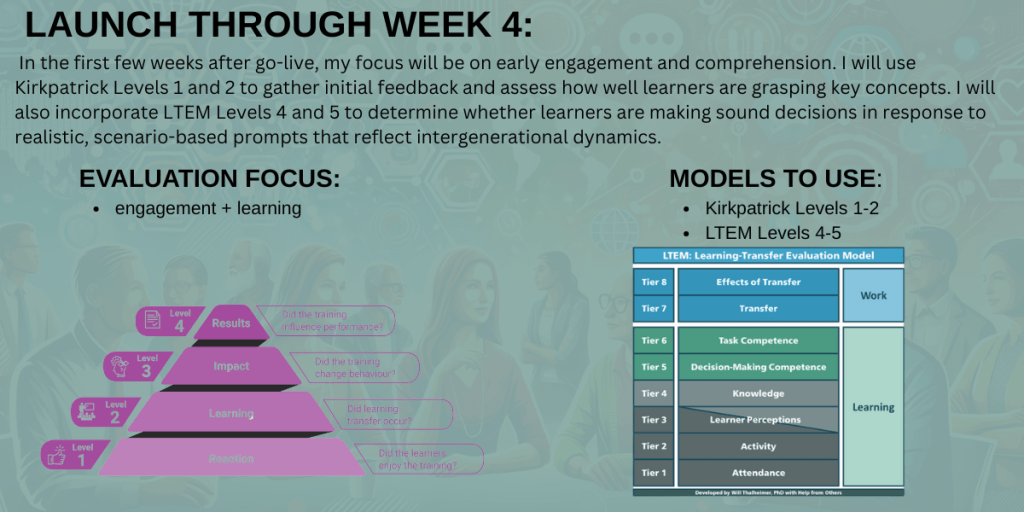


This future-focused, layered evaluation strategy will help me track progress, adapt the training based on real feedback, and clearly demonstrate the value of the module to the organization—from individual growth to team-wide improvements.
Accessibility Evaluation Reference
To ensure the Intergenerational Communication module is inclusive and accessible to all learners, I will evaluate the course design through the lens of Universal Design for Learning (UDL) and User Experience Design for Learning (UXDL). These frameworks will guide both the content creation and the learner experience evaluation process. UDL Principles will inform accessibility in three key areas:
UDL PRINCIPLES WILL INFORM ACCESSIBILITY IN THREE KEY AREAS:
- Multiple Means of Representation –I will provide content in varied formats (e.g., videos with captions, transcripts, infographics, and text) to support diverse perceptual and cognitive needs.
- Multiple Means of Action and Expression – Learners will have options for completing assessments and engaging with content, accommodating different communication styles and comfort levels.
- Multiple Means of Engagement – Content will be designed to support learner autonomy, relevance, and interest across generations.
UXDL will support evaluation on intuitive, and user-friendly the learner experience has the potential to be. I will consider the following:
- Ease of navigation and consistency across modules
- Clarity of visual and textual design, including layout, readability, and flow
- Accessibility features such as alt text, contrast ratios, and mobile responsiveness
- Learner feedback related to friction points, confusion, or usability barriers
Learning Analytics and Future Insights

 AEF Portfolio